Farmers can respond to your applications by calling you, sending you an email or use the private messaging system.
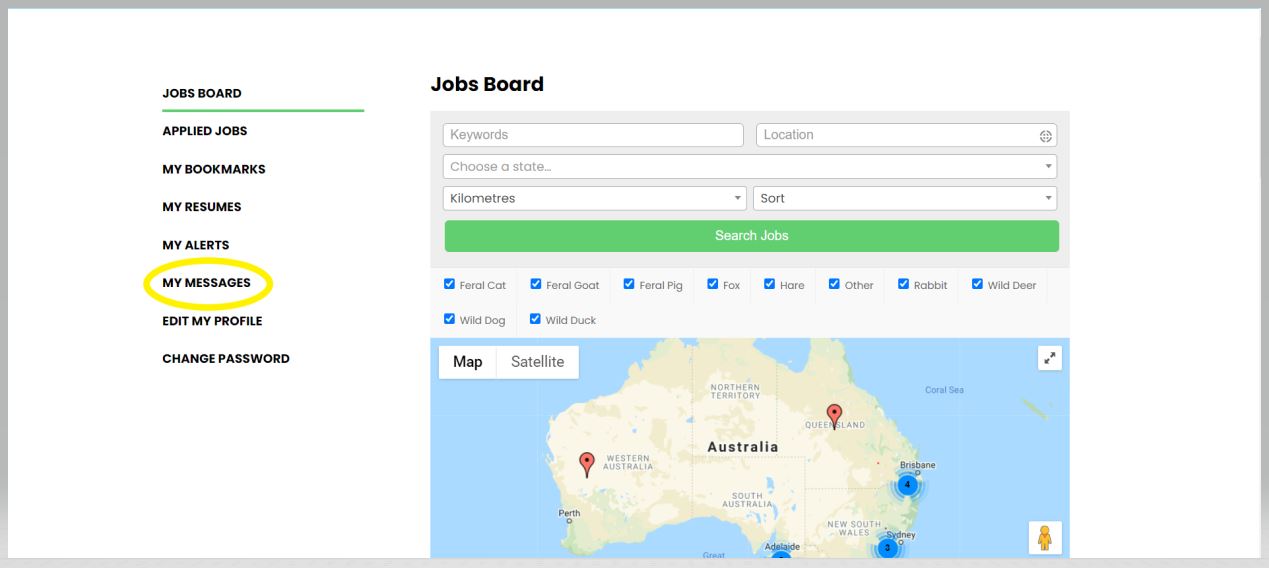
The private messaging system provides a secure way for farmers to discuss their job with you before they exchange their contact details. If a farmer responds to your application using the private messaging system, you will receive an email notification that you have received a message. To view this message you need to select My Messages on the main menu.
Veiwing your messages
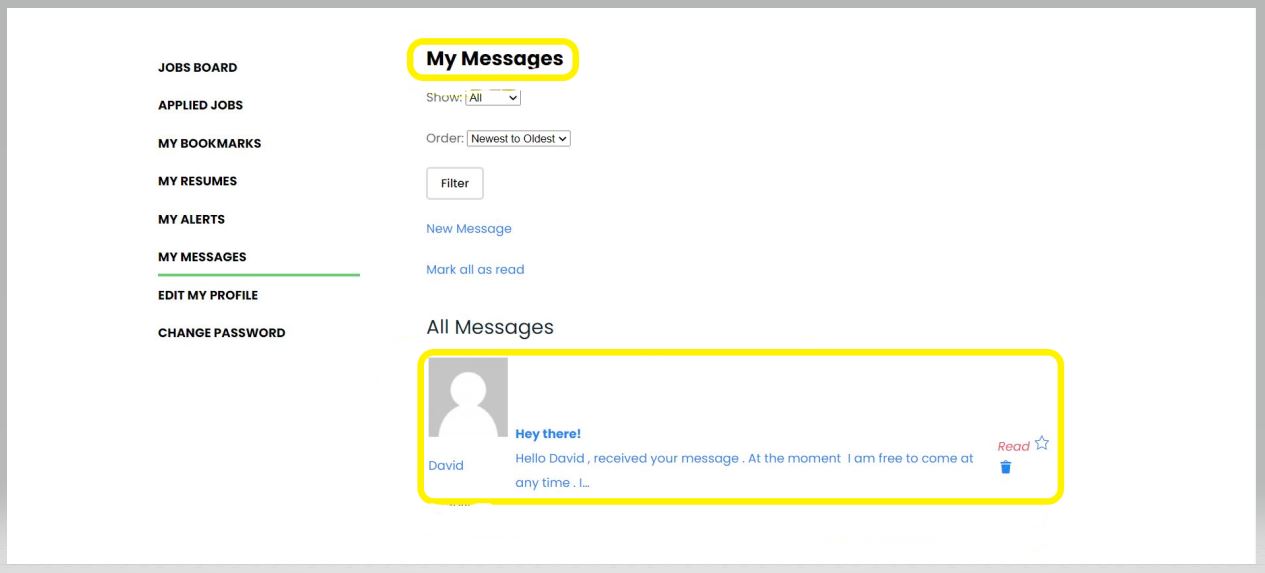
Once you click My Messages in the menu, you will be redirected to a page displaying all your messages. On this page, all messages that you have received and sent will be visible under the All Messages heading.
Responding to messages
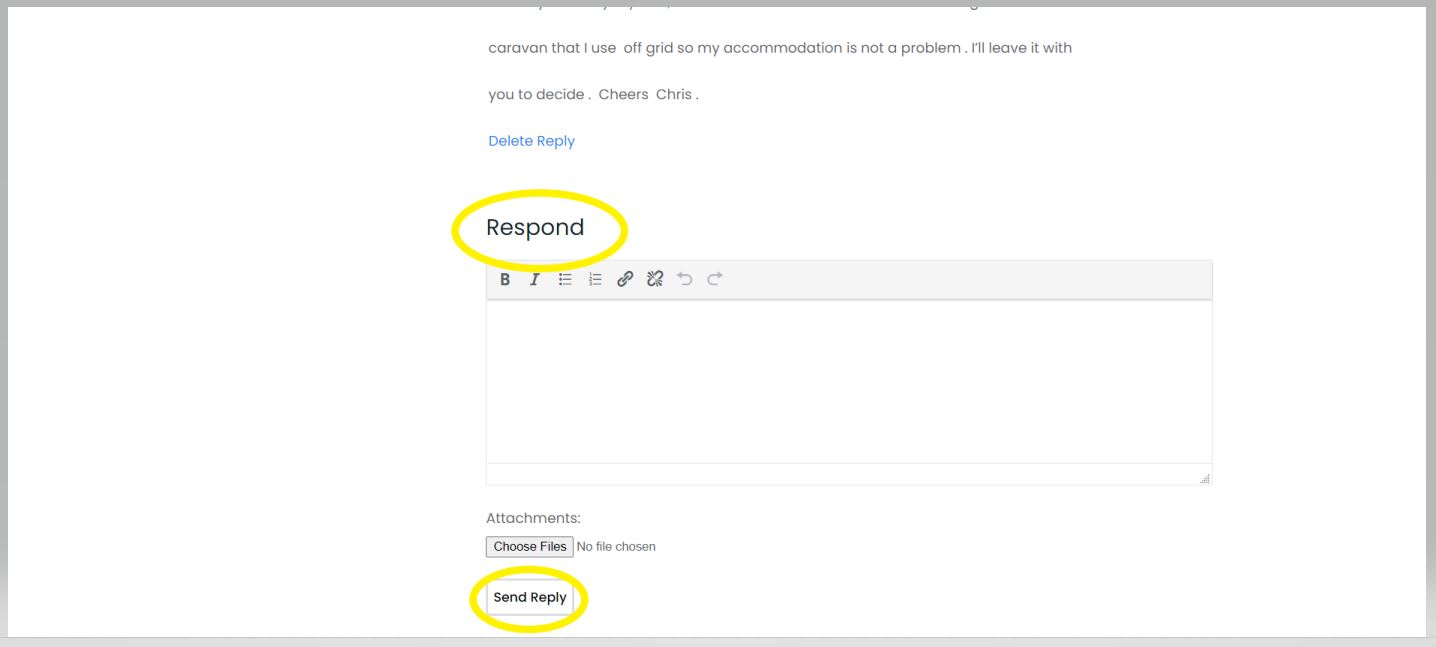
If you click on any message received it will expand the preview text and you will be able to see the message in full and any previous conversations. At the bottom of the message thread is the Respond box. This will allow you to reply to the message by entering desired text (and/or attachments). Once you are ready to send your message, you simply click on the Send Reply button.