How to edit listing or stop/reactivate new applications
Once you have created your job, you can edit your job details or mark it as filled at any time.
Knowing how to do this is very important. Once your job goes live, there may be quite a lot of interest from SSAA members wanting to help. It is advised that you monitor your job and when you receive a sufficient number of applicants to filter through, that you mark the job as ‘filled’ to prevent further applications. This will remove the ability for other members to apply for your job, and gives you time to work through your current applicants to choose the right person.
How to do it:
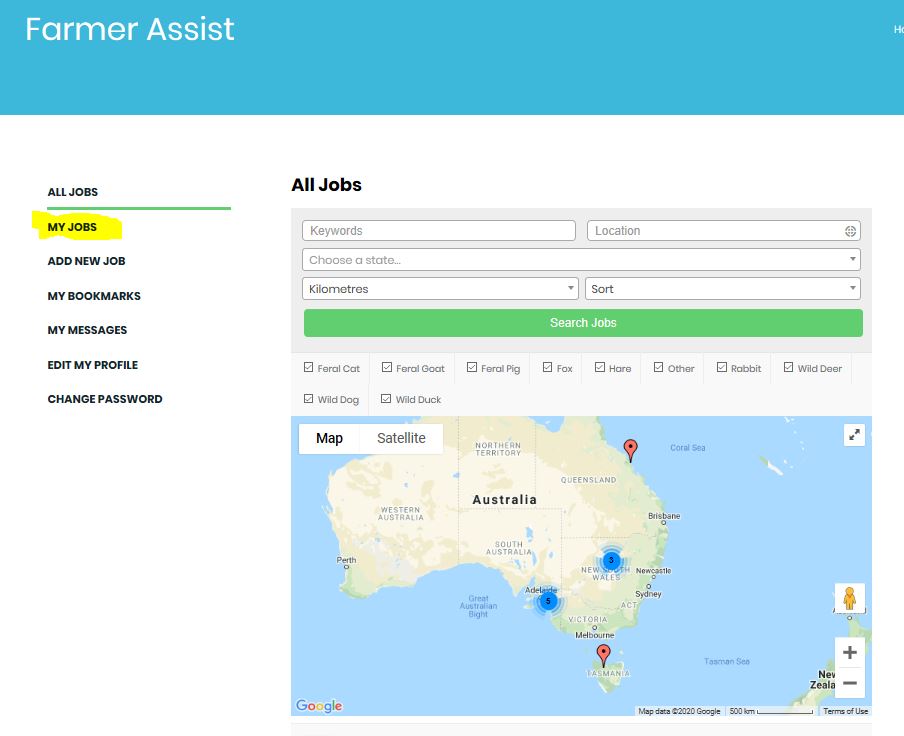
- When logged in, click the ‘My Jobs’ tab located on the left hand side menu.
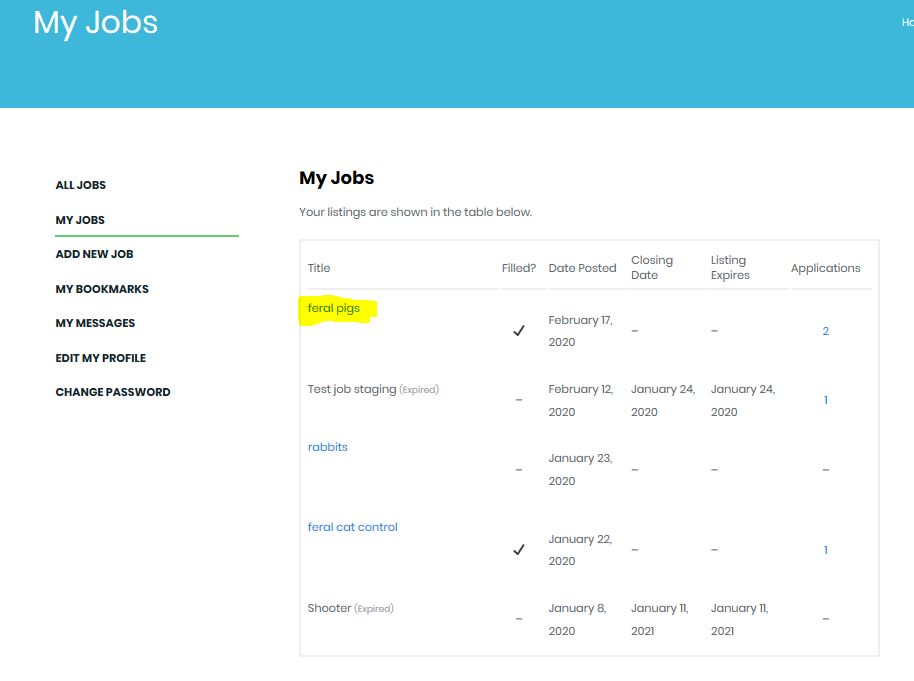
- Once on the ‘My Jobs’ page, when you hover over the specific job with the mouse the options ‘Edit’, ‘Mark’ as ‘filled’ or ‘Mark as not filled’ (if previously marked as filled ), ‘Duplicate’ and ‘delete’ appear.
- To edit details on your listing you simply select ‘Edit’ and this opens up an online form that has all the details of your currently listing. Make whatever changes are required and then click on the ‘Save Changes’ button at the bottom.
- To pause or stop new application to your listing you simply select ‘Mark as filled’ . If for some reason you want to accept more new application, that option will be replaced with ‘Mark as not filled’ and selecting that will reactivate the job for new applications.