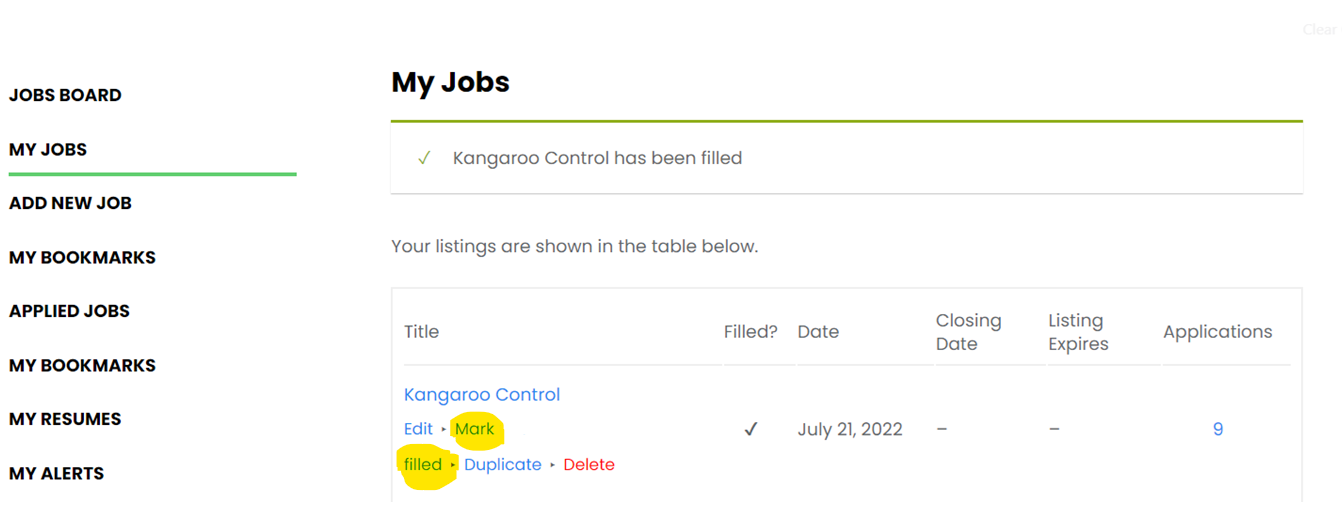
Once you have enough applications or you have chosen a volunteer/s to assist you, we recommend that you mark your job as filled.
All you need to do is go to My Jobs and then click on the blue text Mark Filled under the title of your listing.
This will stop new applications from being submitted, and all volunteers that have applied will receive an automated email notifying them that the job has been closed.